




WIP Wednesday:WIP Wednesday:WIP Wednesday:August 5, 2026August 5, 2026August 5, 2026

This post is also available on my Patreon. Join up and get pixel art for your game!
Hey again everyone, I’m here for Work-In-Progress Wednesday! There’s just a little over two weeks left for me to work on Atmocopter before I show it at 2D Con, so it’s time to put game development into overdrive. Here’s what’s new and what I’m planning to work on in the next two weeks:
New Feature: Level Palette Swaps
The terrain color of each level is now unique:
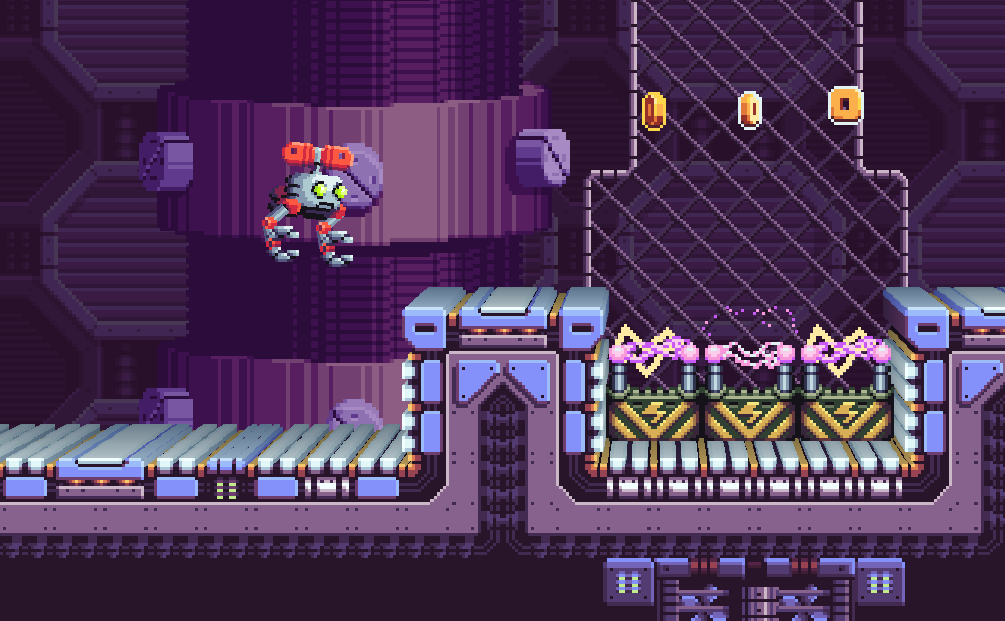
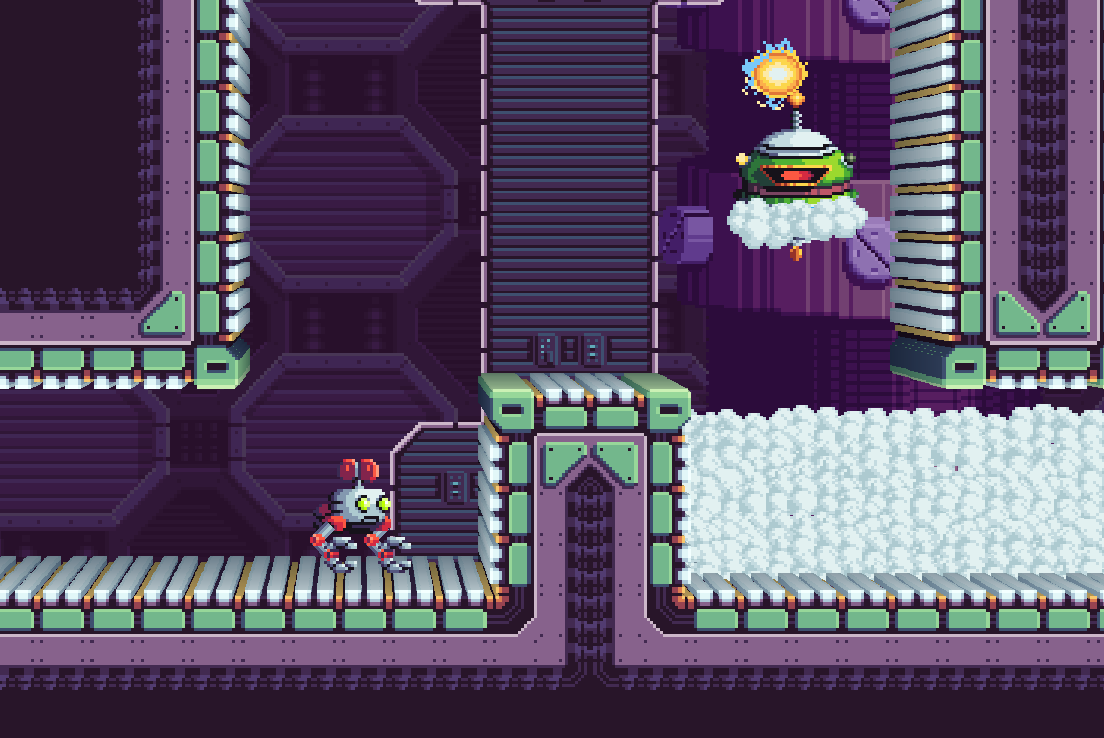
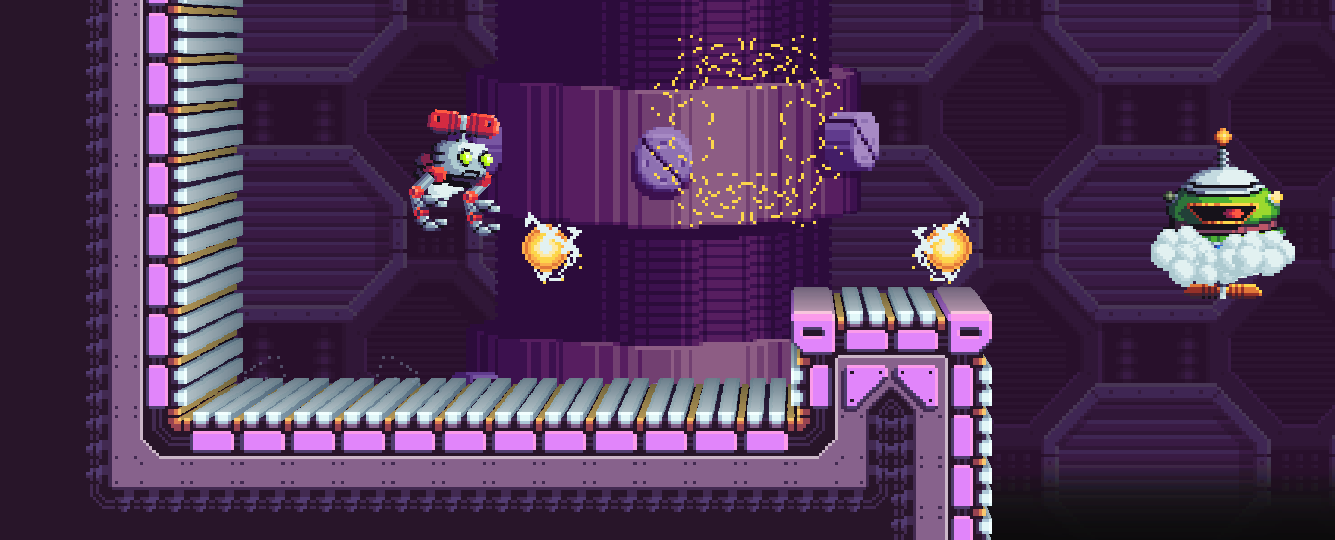
Changing the color of each level is something I’ve been meaning to get in the game for a while! The original version of Atmocopter had this as well, and now the new version has finally caught up. This is achieved via a palette swap shader. The original version of Atmocopter used hue-shifting, which was tricky to get right and never looked perfect. This time, I’m manually defining the palettes so they look nice. The way it’s set up, I should also be able to do some cool effects like changing the palette at runtime, perhaps for day/night effects in certain areas.
Editor Upgrades
SparkBolt Studio needed some upgrades in order to do some of the stuff I need it to do right now.
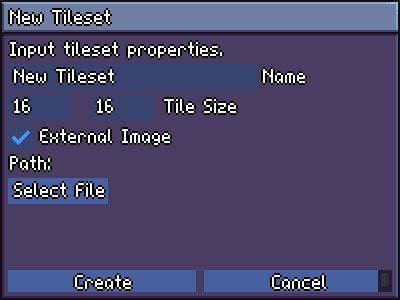
- Tileset Import
Believe it or not, I forgot to put in a way to import a tileset. The tilesets currently in the project file got there via import from the Tiled format, so I needed a quick way to add new non-Tiled tilesets.
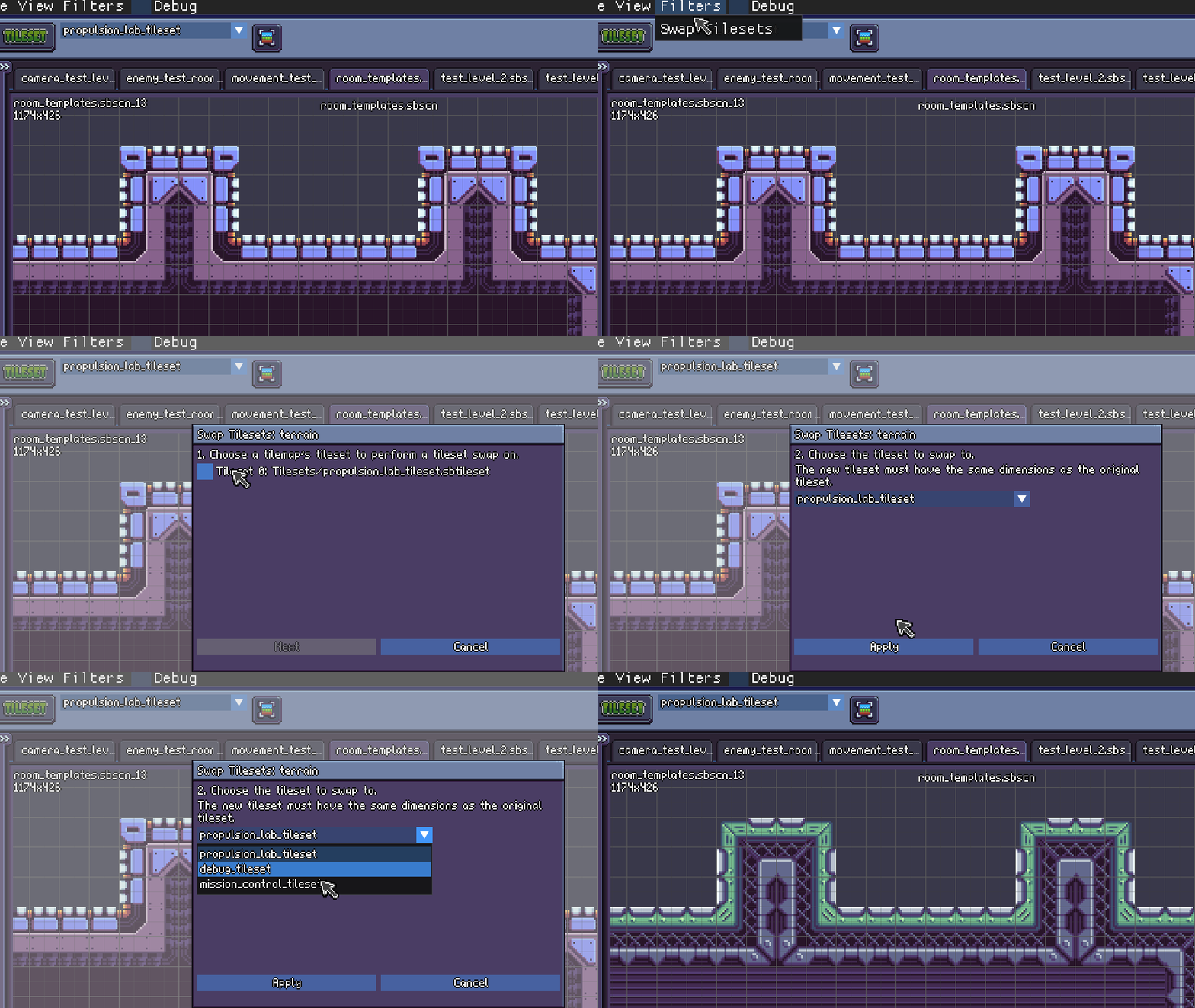
- Tileset Swap Filter
This is really cool. With just a few clicks, you can swap any tileset with any other tileset of the same size and layout! I have a scene full of room templates, so I’m using it on that as I start building a new area.
Hit “Continue Reading” for more work-in-progress goodness!
Bug Fixes!
Where do I even begin? There were so many bugs to fix.
- [Atmocopter] Missing midground layers restored
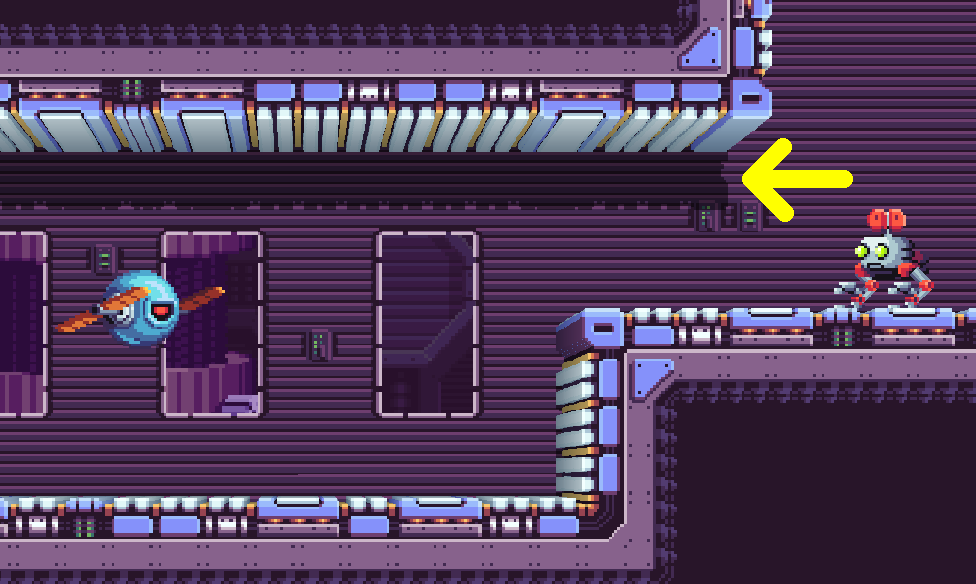
Somehow I didn’t notice that midground layers broke when I transitioned from using Tiled levels to using SparkBolt Studio levels… like 6 months ago. I even demoed the game with missing midgrounds at VGM Con earlier this year. Whoops!
While I was at it, I also added an effect which draws a shadow of the terrain on the midground, which you can see below. (Arrow is pointing at it)
- [Engine] Stick bounce-back fixed
I had my cousin play the game and he mentioned that when using the left stick to move, letting go of the stick would sometimes leave Atmocopter facing the wrong way. This is due to the stick bouncing back with enough force to register at least one frame of input in the opposite direction before snapping back to the neutral position. I found a good write-up on it and was able to implement a solution. - [Atmocopter] Fixed crash relating to divide-by-zero
Found out about this when one of the enemies had the same position as the player and was trying to calculate a movement vector. The divide-by-zero itself wasn’t a problem, but caused issues further down the line with an eventual crash in the collision system. - …And lots more that were technical but not in an interesting way.
Two-Week Plan
So, with just over two weeks left, here’s what I’m planning to work on and get done for the convention.
- Mission Control: Command Room and Break Room
After each level, the player will return to Mission Control, part of the hub area. This will just be a first pass for both of these areas, probably using my sci-fi prop pack to flesh them out graphically.
This will be the first test of the game with the game loop being broken up into levels and hub world, which I’m really interested to see. - Level Select + Level Title Cards
At Mission Control, you can select which level to visit next. I’m hoping to make it visually appealing, but we’ll see how much time I have.
The name of each level will also be displayed as a title card as you start the level. - NPCs and Dialogue System
I’m hoping to get the very first NPCs in the game in time for the convention. One of them is the head of Mission Control, and the other is a bit of a bumbling sidekick who you can talk to for hints and world-building. I’ll also need a story progression system, but that’s coming later. - New Enemies
Several new enemies are already planned, and I’m looking forward to drawing and implementing them. You’ll probably see some next week! - New Hazard: Wind Zone
Returning from the old version of Atmocopter, wind zones are areas where wind pushes the player, making movement more difficult. Both platforming and combat will be tricky in these areas! - Auto-Scrolling Elevator Section
This is sort of on my wishlist right now, so if I run out of time I won’t implement it yet. When I added the propellervator object (seen in a previous WIP Wed), I also added a long version of it which is intended for auto-scrolling sections. The player will remain able to move, jump, and shoot while the propellervator is carrying them, and enemies will attack as it progresses. - New Level
Finally, I’d like to bring all the new enemies and hazards together in a brand-new level for Propulsion Lab, the game’s first world. Looking forward to it!
I had wanted to do both Mission Control as well as a new world, but time constraints are forcing me to focus only on one or the other, and I chose Mission Control. It’s important to finally get that hub world in there, even if it’s just a couple rooms and a couple NPCs. It’s going to be a big milestone, as no iteration of the game has ever included the hub area.
Oh yeah- My new mini-PC arrived, and it runs the game great! Can’t wait to have two nice stations for players at the convention.
That’s all for today- I’ll see you next Wednesday with a LOT of progress!
Have any questions about Atmocopter or SparkBolt Studio? Ask away in the comments!
-Will